Project Cleanup
A downloadable tool for Windows
📦 What is Project CleanUp?
Project CleanUp is a high-performance Windows desktop application built with .NET 10, C# 13, and WPF in Dark Mode. It is designed to quickly reclaim tens to hundreds of gigabytes of wasted SSD storage trapped inside stale dependency folders and build caches.
Over months of development, abandoned projects, sandboxes, and client repositories quietly accumulate hundreds of thousands of tiny files. Project CleanUp automatically discovers these folders and purges them up to 10x faster than standard Windows File Explorer with zero risk to your source code.
Supported Project Ecosystems
- Node.js (npm / pnpm / yarn): Scans and wipes heavy
node_modulesfolders across React, Next.js, Vue, Vite, and Angular projects without getting stuck in nested dependencies. - C# & .NET Solutions: Scans and purges
binandobjbuild artifacts across Visual Studio and Rider solutions, safely verified against project files. - Unity Game Projects: Targets bloated Unity
Library,Temp, andLogsfolders (often recovering 20 GB to 60 GB+ per game project!).
🎯 What is the Goal?
Deleting large project folders manually on Windows is notoriously slow and painful:
- Windows Explorer freezes for minutes just calculating 200,000+ files before deleting.
- Deeply nested npm dependencies crash with "Source path too long" (MAX_PATH > 260 characters) errors.
- Locked files or read-only attributes abort deletions midway, leaving broken half-deleted folders.
💡 The Goal: Give developers a one-click, visual, and guaranteed-safe desktop utility that frees gigabytes of space in seconds—never minutes—without ever touching your source code or Git history.
👥 Who Should Be Using It?
- 🌐 Web & Full-Stack Developers: Juggling multiple React, Next.js, or Vue projects where each repo holds 500 MB to 2 GB of identical dependencies.
- ⚡ .NET & C# Software Engineers: Compiling multi-target solutions in Visual Studio or Rider where
bin/Debugandobjoutputs pile up over time. - 🎮 Unity Game Creators: Running low on SSD space due to massive Unity asset caches and compilation data.
- 💼 Freelancers & Digital Agencies: Archiving completed client repositories without paying cloud storage fees for throwaway dependencies.
- 💻 SSD-Constrained Laptops: Anyone with 256 GB or 512 GB system drives tired of seeing Windows "Low Disk Space" alerts.
🚀 What It Does for Us (Key Features)
- ⚡ 10x Faster Deletion Engine: Combines Instant Atomic Detachment (renames target folders in 5 milliseconds to instantly unblock your workspace) with background native Win32 removal.
- 📏 Extended Path Prefix (\\?\): Fully immune to Windows 260-character path limits. Safely deletes the deepest npm dependency trees without errors.
- 🐙 Git Repository Intelligence: Detects whether each project is uncommitted, local-only, or safely synced to a remote repository (GitHub, GitLab, Azure DevOps).
- 🌲 Interactive Tree & Table Views: Seamlessly switch between a hierarchical folder tree and a high-density sortable table.
- 🔍 Live Search & Multi-Level Filtering: Filter instantly by project name, project type (Node, C#, Unity), or Git status.
- 📊 Post-Cleanup Recovery Report: Shows a clear summary of total gigabytes reclaimed and updated free drive space.
- 🌙 Sleek Dark Mode UI: Clean, distraction-free desktop interface with low memory and CPU footprint.
🛡️ 100% Source Code Safe: Project CleanUp will NEVER delete source files (.cs,.ts,.js,.unity,.git). It validates project signatures before touching any folder, and strictly blacklists root drives (C:\),Windows,Program Files, and user profile roots.
📖 How to Use Project CleanUp
- Select Directory: Click Browse... or paste your workspace path (e.g.
D:\Projects). - Choose Project Type: Select All Projects, or focus specifically on Node.js, C# (.NET), or Unity.
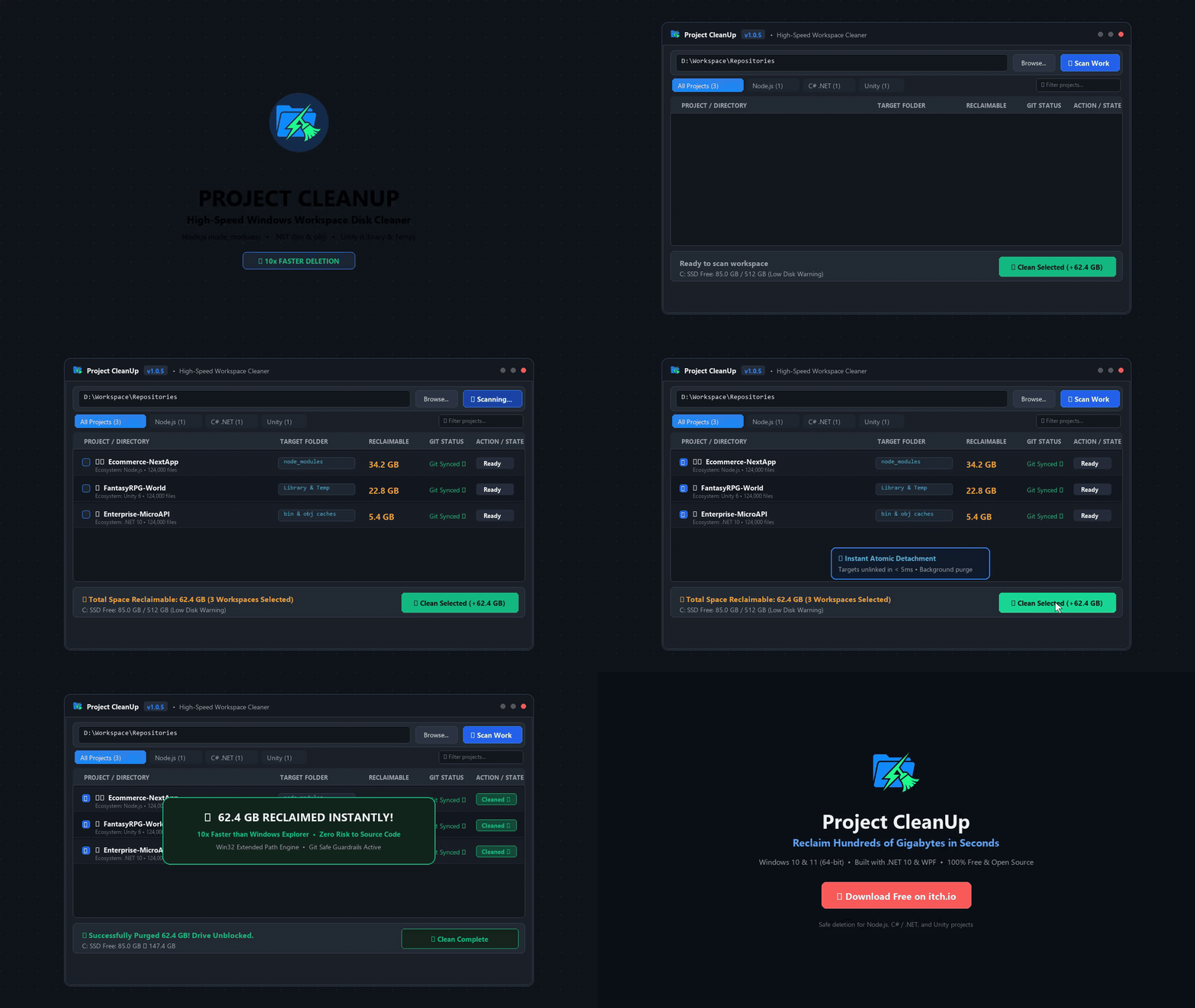
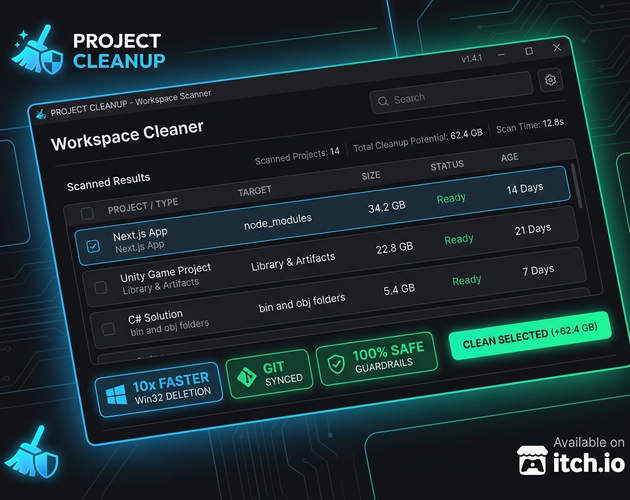
- Scan: Click Scan to watch real-time discovery of projects, sizes, and Git statuses in the Tree or Table view.
- Select Targets: Use Select All or check individual projects. Check the live status bar tally: "Selected: 12 projects | Space to free: 38.4 GB".
- Clean Selected: Click Clean Selected to detach and purge the folders. Enjoy your reclaimed disk space!
⌨️ Handy Keyboard Shortcuts
Enterin Path Field: Start scanning immediatelyF1: Open Help & Documentation dialogEsc: Close open dialogsDouble-Clickon Project: Open folder directly in Windows File Explorer
⚡ Performance Benchmark (25 Projects / ~35 GB)
| Deletion Method | Estimated Time | Long Path Safe (>260 chars) | Unblocks Workspace Instantly |
|---|---|---|---|
| Windows File Explorer | 8 - 15 Minutes | ❌ Crashes on long paths | ❌ Locks folder until finished |
| PowerShell Remove-Item | 5 - 8 Minutes | ❌ Requires special flags | ❌ Synchronous hold |
| Project CleanUp | 20 - 45 Seconds | ✔️ Automatic (\\?\) | ✔️ Atomic Detach (5ms) |
❓ Frequently Asked Questions
Q: Will deleting these folders break my projects?
No. Project CleanUp strictly targets generated caches and downloaded dependencies. Your code is never touched. You can recreate node_modules anytime with npm install, rebuild C# with dotnet build, and Unity automatically regenerates its Library folder when you open the editor.
Q: Why is it faster than Windows Explorer?
Windows Explorer inspects every single file's permissions one-by-one. Project CleanUp first performs an atomic rename to detach the folder in milliseconds, then executes native low-overhead Win32 commands in the background.
Q: Does it support monorepos (Turborepo, Nx, pnpm workspaces)?
Yes. Project CleanUp detects root dependency folders and prunes recursive descent so it doesn't get stuck in nested symlinks or junction points.
Q: Does it need Administrator privileges?
No administrator rights are required to clean your own developer folders.
Q: What are the system requirements?
Windows 10 (1809+) or Windows 11 (64-bit). The installer is self-contained with no extra runtime installations needed.
💾 Summary & Download
Project CleanUp is the fast, safe, and modern storage recovery tool every Windows developer needs. Reclaim gigabytes of wasted SSD storage in seconds.
⬇️ Download on itch.io: https://hodaart.itch.io/project-cleanup
✉️ Support & Feedback: hi@expionix.com
👤 Creator: Hodaart • Version 1.0.5
Download
Click download now to get access to the following files:
Leave a comment
Log in with itch.io to leave a comment.